



Time tracking built for the way businesses actually work.

Track time accurately. Keep projects on budget. Make every billable hour count.

OnTime is an intuitive, flexible time-tracking app that helps business owners and project managers manage employee hours, project budgets, approvals, and billing.

Developed by a business owner for his own team, OnTime combines straightforward time entry with intelligent alerts, configurable workflows, and practical tools that make everyday management easier.

Spend less time chasing timesheets and more time running your business.

People and scattered work connect into an organized flow of projects, time records, reporting and billing

The time-tracking features you’ve been missing.

From proactive alerts to configurable approval workflows, OnTime gives you the tools to manage time more effectively—with less manual oversight.

1Configurable alerts and budget tracking

Skip manual time tracker checks. Get the alerts you need.

You shouldn’t have to open your time tracker every day to find out whether your projects are on track.

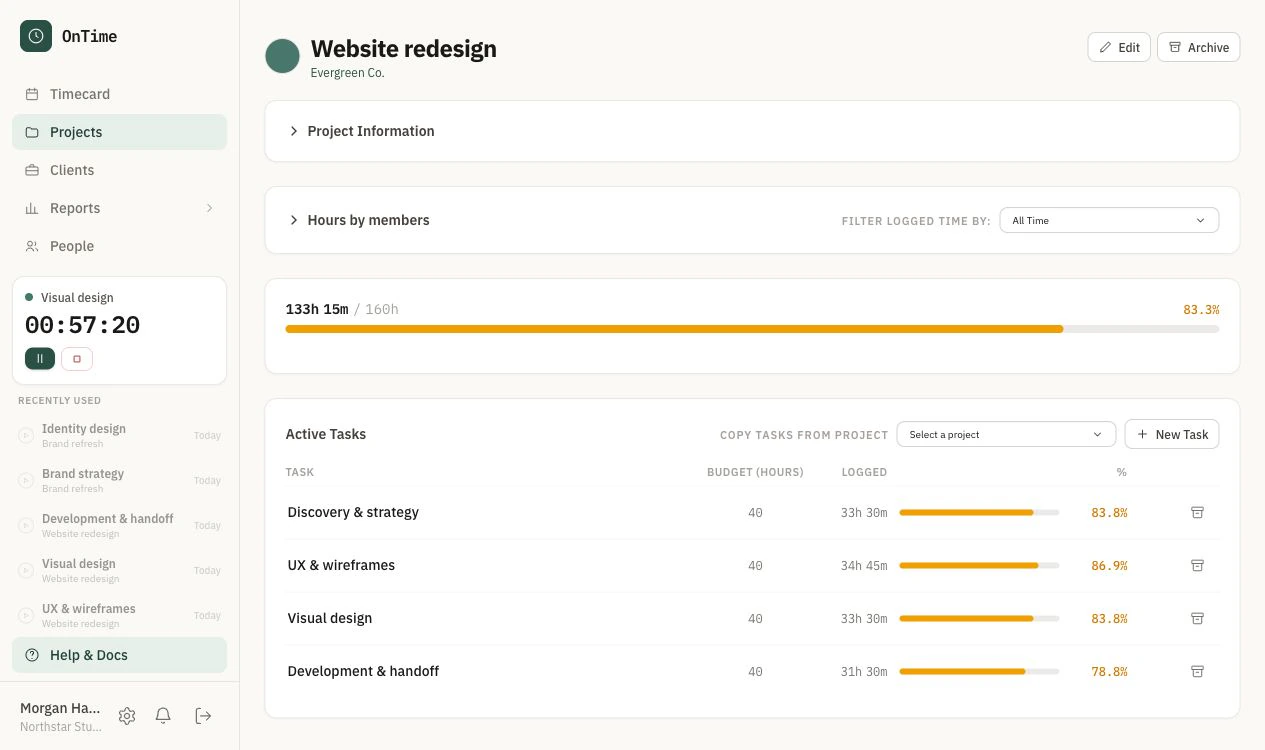
Set project budgets, billing periods, and custom alerts. OnTime keeps you informed as hours accumulate and projects progress, flags issues that need attention, and reminds employees when they’ve forgotten to log time.

Catch missing hours and potential budget overruns before they become bigger problems.

OnTime budgets & alerts screen
2Configurable approval workflows

Stop chasing timesheets. Start managing them.

Late timesheets, incomplete entries, and changes to submitted hours can create unnecessary work—and problems when it’s time to bill.

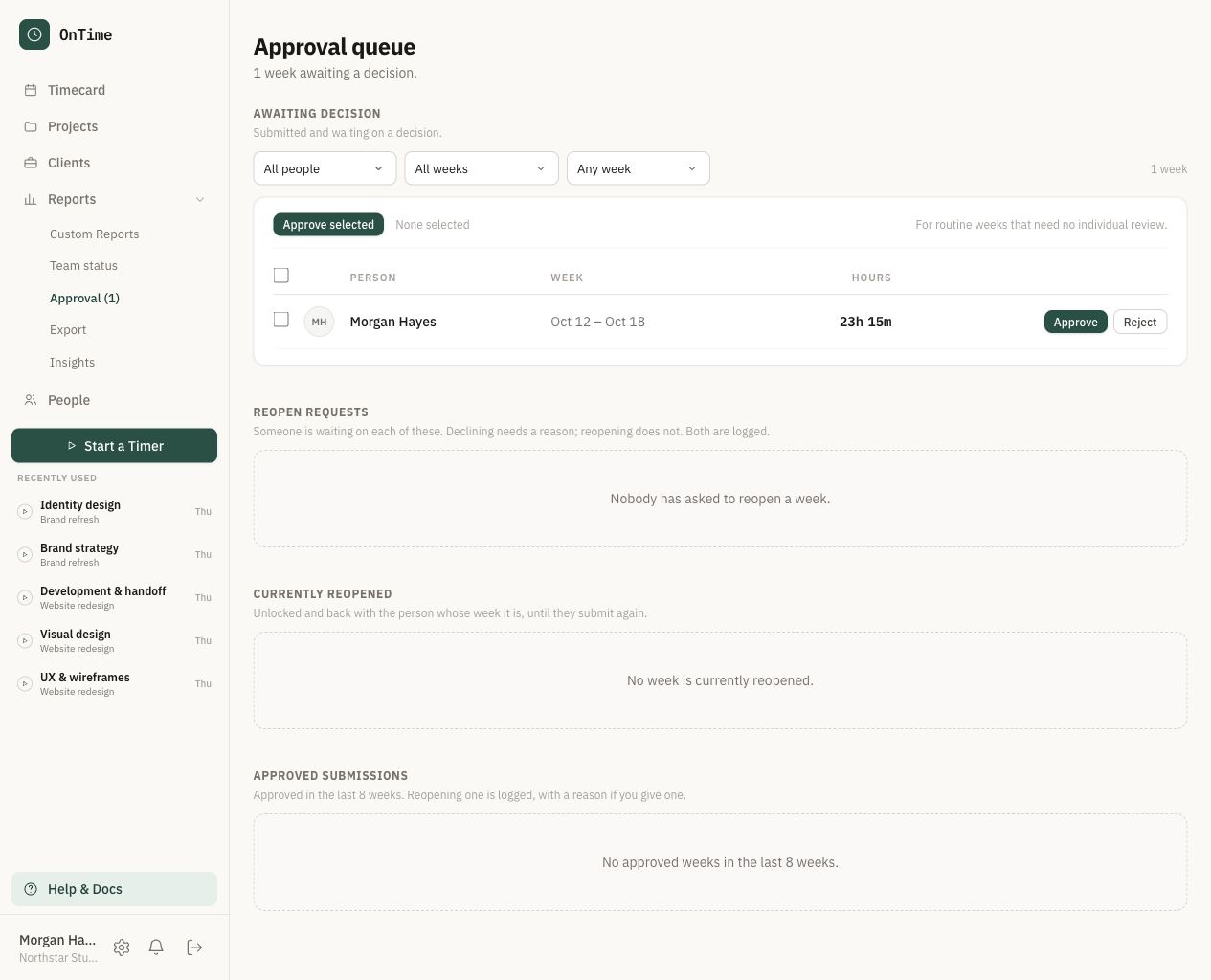
OnTime lets you set your own submission and approval process. Review timesheets by employee and project, receive alerts when submitted entries are changed, and reject incomplete or inaccurate submissions for correction.

Keep employees accountable, maintain accurate records, and simplify client billing.

OnTime approvals screen
3Timers where you like

Capture the hours that are easy to forget.

Switching between meetings, tasks, and clients makes it easy to lose track of billable time.

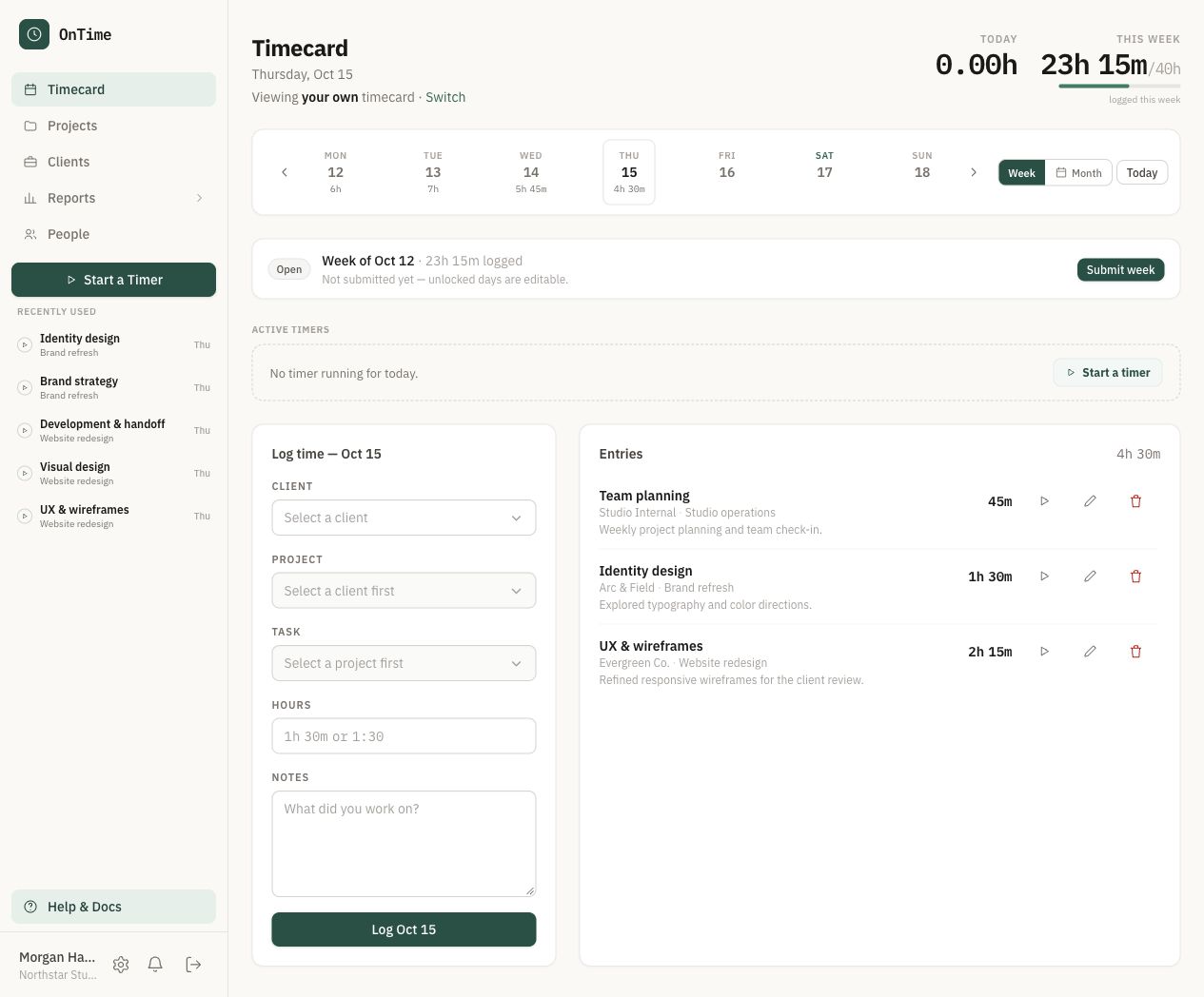
Track hours as you work with OnTime’s built-in timer, pop it out for convenient access while using other applications, or track time directly from your favorite browser with the OnTime browser extension. Use a convenient mobile timer on the go.

Less guesswork. More accurate timesheets.

OnTime timers screen
4Flexible, detailed reporting

Get the reports you need, without digging for data.

Finding out where your team’s hours went shouldn’t mean sorting through endless timesheets.

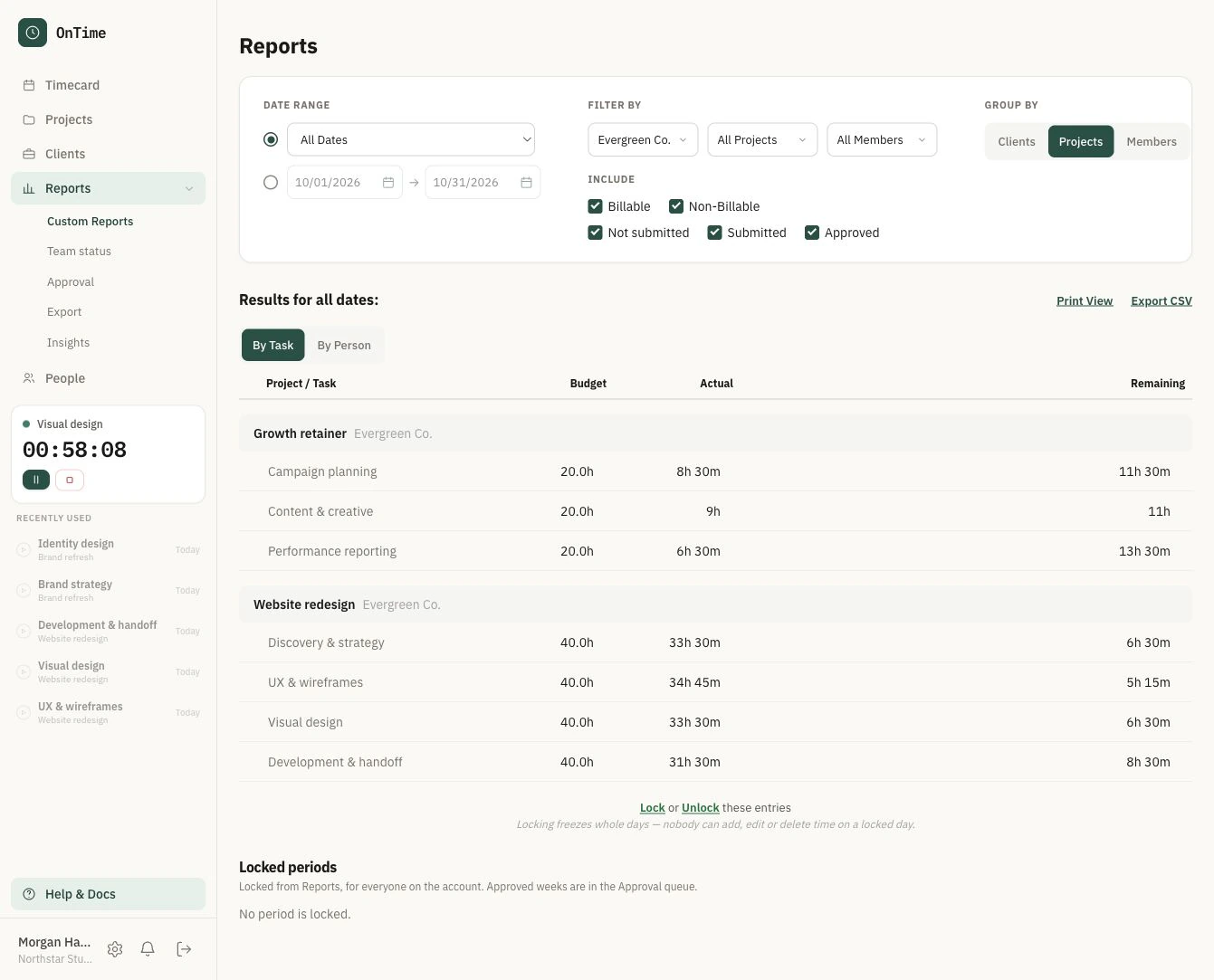
OnTime’s ready-made reports let you review time by employee, project, client, or date range, with the level of detail you need for project oversight, client billing, and financial reporting.

Make informed decisions with accurate, detailed reporting at your fingertips.

OnTime reports screen
5Flexible integrations and data exchange

Keep your time tracking connected to the rest of your business.

Your time tracker should work with the tools you already use—not create another disconnected system to manage.

OnTime supports Slack and email notifications to keep your team informed, along with data exports for billing, financial reporting, and other business processes.

Make communication easier and keep the information you need flowing between your systems.

Recorded time connects to team updates, emailed spreadsheets, and reporting for client billing
6AI-ready integrations

Track time directly from your favorite AI tools.

Your time tracker should work with the tools and automations you already use.

With OnTime’s API, webhooks, and MCP server, you can log time through compatible AI assistants and connect time tracking to your automated workflows.

Automate routine work without being locked into one AI platform.

AI assistant and webhook signals connect through a server to a time record ready for review
Brian Borg, OnPath founder
Brian Borg
CEO, OnPath

Why We Built OnTime

Built from experience. Designed to work smarter.

As CEO of OnPath, a software testing company, Brian understood the importance of accurate time tracking, clear project oversight, and reliable client billing.

He also recognized that the software he was using could do more. Rather than spending time checking records and tracking down information, he wanted a system that would keep him informed automatically, provide the flexibility to manage projects his way, and make everyday administration simpler for everyone, all for a reasonable price.

So he created OnTime.

Designed around the practical needs of running a business, OnTime brings intelligent functionality and intuitive design together in a straightforward, affordable application.

Intelligently designed. Easy to use. Built for business.

Flexible pricing for teams of every size.

Choose the plan that fits your business, with pricing based on your active projects and team size—not individual user subscriptions.

All plans include a 30-day free trial.

Pay less for your time tracking tool

Solo

$9/month

2 projects
10 people

Try Solo

Team

$29/month

10 projects
100 people

Try Team

Business

$59/month

30 projects
300 people

Try Business

Unlimited

$99/month

Unlimited projects
Unlimited people

Try Unlimited

USD per account. All plans include a 30-day free trial. Payment method required.
Your selected subscription is billed after the trial unless you cancel.

Frequently asked questions

How can I catch a project going over budget before it’s too late?

Finding an overrun when you prepare the invoice doesn’t leave you many options. OnTime lets you set project budgets and configurable alerts as hours accumulate, so you can spot a problem early and decide whether to adjust the work, talk to the client, or change the budget.

Do I have to keep checking OnTime to know what needs attention?

Your time tracker should save you work. OnTime can alert you to budget issues, remind people about missing time, and notify you when submitted entries change. You set the rules so you can spend less time checking records and more time acting on what matters.

How do I stop chasing my team for timesheets?

Give people a clear process and let the software handle some of the follow-up. OnTime combines time entry, submission and approval workflows, and reminders for missing time. You can review what’s been submitted and send incomplete or inaccurate entries back for correction.

What happens if someone changes their hours after submitting a timesheet?

A changed entry shouldn’t become a surprise at billing time. OnTime can alert you when submitted entries are changed, giving you a chance to review the correction and understand its effect on the project’s records.

How difficult is it to switch from our current time tracker?

You don’t have to leave your old records behind. OnTime supports importing existing time records so you can bring historical work into the new system. The preparation depends on what your current tool can export and how its data is organized.

Can I log time through an AI assistant?

Yes, through compatible tools. OnTime’s MCP server and API let supported AI assistants work with time records, so logging time can become part of a conversation or an automated workflow. Compatibility and setup depend on the assistant you use.

Do you charge for every person on my team?

No. OnTime charges per account, with plans based on active projects and people. Monthly plans start at $9 for 2 projects and 10 people, then $29 for 10 projects and 100 people, $59 for 30 projects and 300 people, and $99 for unlimited projects and people. All plans include the same features.

What can I try during the 30-day trial, and what happens afterward?

You can use OnTime with your team’s actual work: record time, set budgets, review submissions, and explore the reports. A payment method is required before the trial starts. Your selected plan is billed after 30 days unless you cancel.

Put OnTime to work for your business.

Find out what makes us different.

Start your 30-day free trial